The tuner takes each note you sing to the nearest right note in a key. Set gently, it fixes small pitch slips without anyone noticing. At full, it jumps from note to note with no glide: the robotic sound of trap and reggaeton. This page explains which key it tunes to, each control on its panel and how to get the most out of it.
Where it is
The tuner is the first thing your voice goes through, before any effect. It can’t be moved or removed, but it can be switched off.
- In Simple, at the top you see the key your voice is tuned to and where it comes from (MATCHED TO BEAT, FROM YOUR VOICE or SET BY HAND). How hard it tunes is set with the style’s Tuning control, from Natural to Robot, if the style has one. To change the key by hand, switch to Pro.
- In Pro, it’s the big card at the top left. It shows the key and, below it, TUNE · with how hard it tunes. Tap the card to open its panel; the switch in its corner turns it on and off.
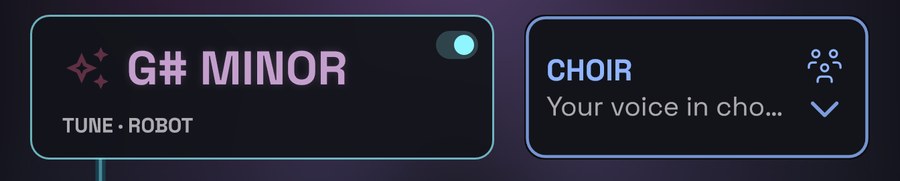
Like everything in the studio, the tuner belongs to each take: each take has its own key and settings, and what you change applies to the take the take stepper shows (see Takes).
The tuner’s panel
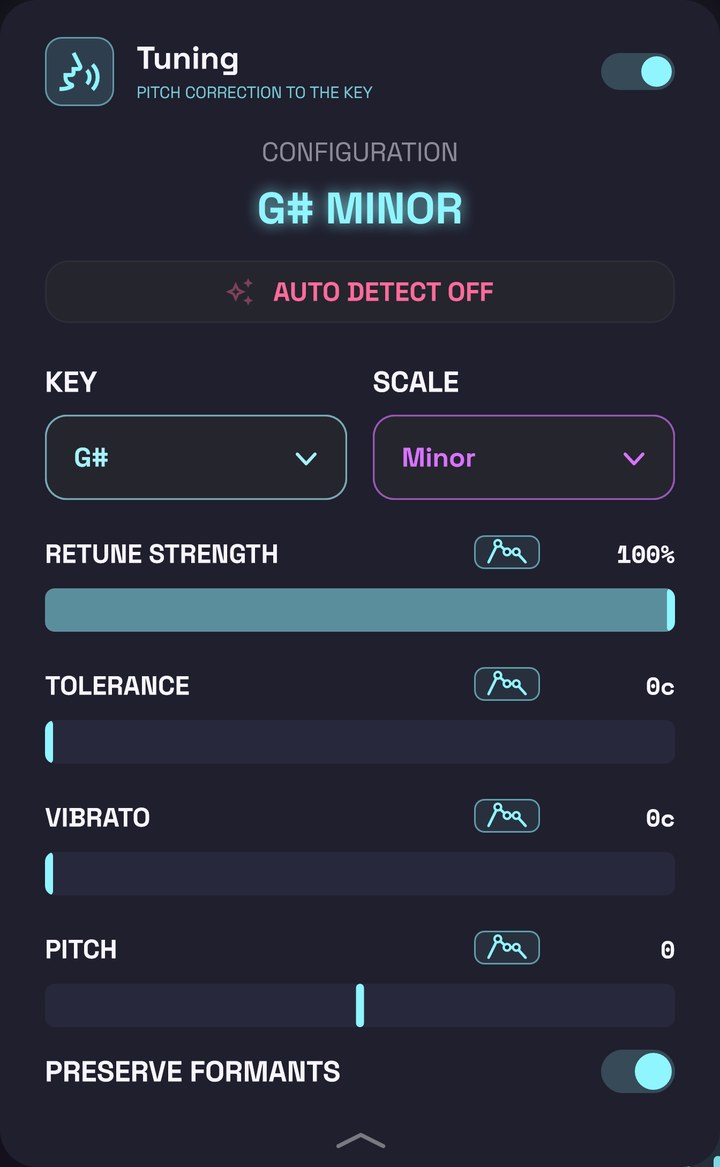
From top to bottom:
- The switch, at the top right: turns the tuner on or off.
- The key, in large letters (for example, D HARMONIC MINOR). Above it, it says CONFIGURATION if you chose it, or SCANNING… if it’s detecting it.
- AUTO DETECT ON / OFF: the detection button.
- KEY and SCALE: the key, set by hand.
- Four values: RETUNE STRENGTH, TOLERANCE, VIBRATO and PITCH.
- PRESERVE FORMANTS.
To close it, tap the arrow at the bottom or swipe the panel up.
The key: where it comes from
The tuner needs to know what key you’re singing in: if it gets it wrong, it takes your notes to notes that don’t fit the beat. There are three ways to tell it.
Matched to the beat (the usual way)
VRaptor’s beats come with their key, and VRaptor uses it from the first note. If you import your own beat, VRaptor works it out while preparing it (see Beats and key).
In Pro, when the tuner isn’t in the beat’s key (because you changed it or because it’s detecting), MATCH BEAT appears on the card. Tap it and it goes back to the beat’s key; auto detection is switched off.
Detected from your voice
Tap AUTO DETECT OFF to turn it on. VRaptor listens to the notes you sing and works out the key. Meanwhile, the top says SCANNING… and the big key keeps changing to whatever it detects. KEY and SCALE are dimmed: they aren’t used.
It’s useful without a beat, or when you sing a cappella. Bear in mind it needs to hear you for a while: in the first few notes it can get it wrong.
By hand
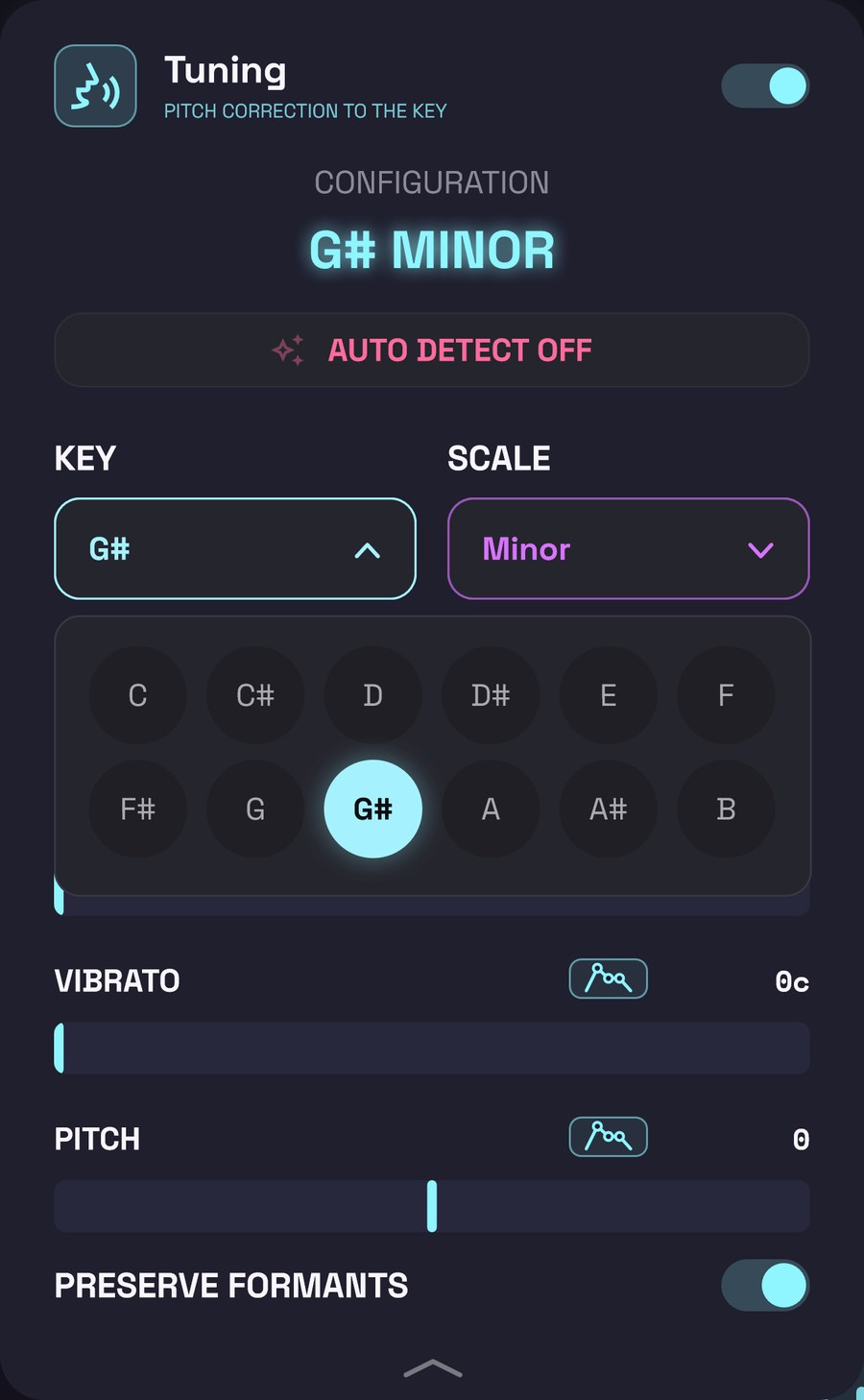
With detection off:
- KEY: tap it and pick the root note (C, C#, D… B).
- SCALE: tap it and pick the type of scale:
| Scale | What it’s for |
|---|---|
| Major / Minor | The most common. |
| Chromatic | All 12 notes: it tunes to the nearest note, whatever it is. Works with any beat, but corrects less “to the key”. |
| Harmonic Minor, Melodic Minor | Variants of the minor scale. |
| Dorian, Phrygian, Lydian, Mixolydian, Locrian | The modes. |
| Pentatonic Major, Pentatonic Minor | Only five notes: the voice jumps in bigger steps. |
| Blues | The minor pentatonic with the “blue note”. |
| Spanish | The Phrygian dominant of flamenco. |
Notes as C, D, E or as Do, Re, Mi? You choose in Settings → Display → Note names.
The controls
RETUNE STRENGTH (0–100 %)
How fast the tuner takes each note to its place.
- 100 %: instantly. The voice jumps from one note to the next without sliding: the robot effect.
- Lower: the note reaches its place little by little, and slides between notes are kept more. At 0 % it takes half a second to move a semitone: you hardly notice it.
The tuner card sums it up like this: ROBOT at almost full (from about 98 %), TIGHT a little below (roughly between 88 % and 97 %) and NATURAL below that.
TOLERANCE (0–50 c)
How far a note can drift before the tuner touches it, in cents (hundredths of a semitone; 100 c = one semitone).
- 0 c: every note goes exactly to its place.
- Higher: notes that are already nearly in tune are left as you sang them, and for the ones that drift further, only the excess is corrected. The voice sounds more human.
VIBRATO (0–200 c)
Decides what to do with vibrato (the wobble in your voice on long notes).
- 0 c: it isn’t kept. The tuner corrects every instant and the vibrato is flattened.
- Above 0: when your voice wobbles at least that much, the tuner only corrects the centre of the note and leaves the wobble as you sang it. With less wobble, it flattens it more or less.
In other words: a low but not zero value keeps almost any vibrato; the higher it is, the wider your vibrato has to be to be kept.
PITCH (−1, 0 or +1 octave)
Raises or lowers the whole voice by an octave, as well as tuning it: −1 oct, 0 or +1 oct. Whole octaves only, because any other jump would take a voice tuned to the key out of it. Only the sung parts move: consonants and breaths stay as they are.
PRESERVE FORMANTS
Formants are the “colour” of the voice, what makes it sound like you and not someone else.
- On: when tuning or changing the PITCH, your voice changes note but still sounds like you.
- Off: the colour moves with the note. Upwards it sounds thinner, cartoon-like; downwards, deeper and darker.
With small corrections you hardly notice it. Where you hear it most is with PITCH far from 0.
Curves on the tuner
Next to RETUNE STRENGTH, TOLERANCE, VIBRATO and PITCH there’s a small automation button. With it, the value can change over the take: for example, natural tuning in the verse and robot on the last word. While a value has a curve, its bar follows it and can’t be moved by hand. See Automation.
Tips
- Key first. If the tuner sounds “off” or takes notes to places that don’t fit, the key is most likely wrong. Tap MATCH BEAT.
- Hard robot: RETUNE STRENGTH at 100 %, TOLERANCE and VIBRATO at 0.
- Natural: lower the RETUNE STRENGTH, raise the TOLERANCE a little and leave some VIBRATO so long notes can breathe. Try it on a looped take and adjust by ear.
- Pentatonic scales make the robot effect even stronger: with fewer notes, the voice jumps in bigger steps.
- To hear your voice untuned, switch it off. Careful: that also removes the PITCH, which is part of the tuner.
- To change a style’s character, adjust it here and save it in Custom presets.
- The Harmonizer and the Choir follow the beat’s chords when VRaptor knows them (BEAT’S CHORDS) and otherwise the tuner’s key (FROM TUNER): in that case, if you change it here, their voices follow it.
- Very low voices (below about 94 Hz, roughly a low G in a male voice) aren’t detected, so those notes go through untuned.
- What isn’t here: silencing the mic between lines (Smart gate), removing noise (Vocal cleanup) and the Limiter are in Settings → Voice, for every take. See Settings.
Next
← 6. The Pro screen → 8. Effects: what each effect does and its controls.