Make a song on your phone. Sound like a record.
Coming soon
to Android and iPhone
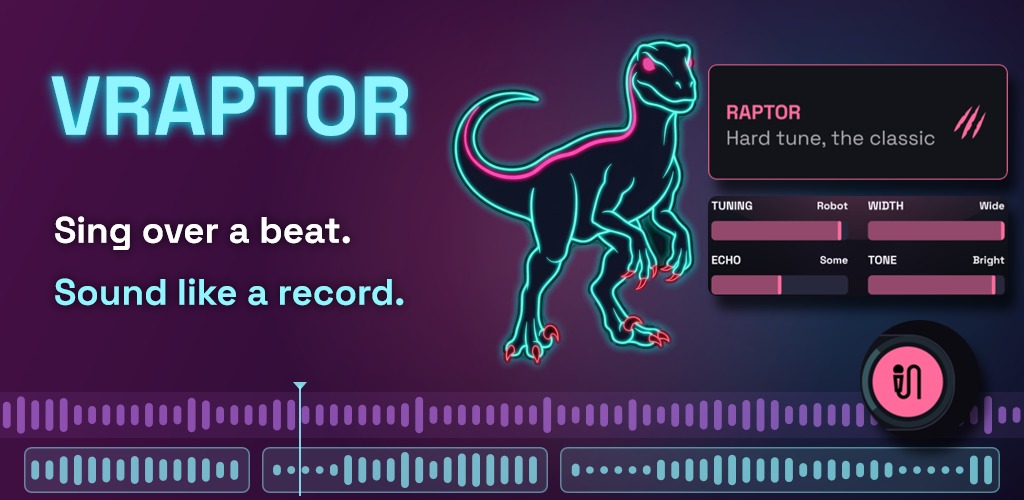
Pick a beat, sing over it, choose a style. VRaptor tunes your voice, cleans it up and puts it on the beat, and you have a song ready to share in a few minutes.
Free, no ads, no account. iPhone and Android.
¿Prefieres leerlo en español? Lee esta página en español.
Three things, and then the detail
From nothing to a song in minutes. Pick a beat, press record and sing. Swipe through the styles until your voice sounds right, adjust it with a few plainly named controls, and share it as a video. The first time, a guided tour walks you through your first song.
A studio voice from a phone microphone. Every take is worked on after you record it: room and noise taken out, the phone mic’s tone evened out, the level matched to the other takes, and the start of your notes pulled onto the beat. Sang without headphones? The beat that leaked into the mic is removed.
A real studio underneath, when you want it. Flip the switch to Pro and the same song opens up: the tuner with key and scale, 18 effects in a chain you build yourself, a mixer, and automation drawn per take, with curves or LFOs. Pro and every effect are free.
What it does
Simple mode — choose a sound, not a setting
- 22 vocal styles: RAPTOR, REGGAETON, BALLAD, CHOIR, AMBIENT TRAP, ROBOT, LOCO, DEMBOW, MELODIC URBAN, MELODIC TRAP, LATIN TRAP, AFRO, CORRIDOS, DRILL, R&B, FLAMENCO, DEMON, TALKBOX, RADIO, VAPORWAVE, RAP and POP
- Each style has up to four controls with plain names: Tuning (natural to robot), Space, Echo, Choir, Octave, Tone, Grit, Voice, Width and Motion
- Many styles move with the song: an echo on the last word of a phrase, an octave on the long notes, placed on the beat and where you sing
- LOCO is different every time you pick it
- Each take keeps its own style, so the verse and the hook can sound different
- Your voice is tuned to the beat's key from the first note
Beats
- 36 beats in 23 genres: trap, drill, boom bap, West Coast, phonk, reggaeton, dembow, cumbia, bachata, flamenco, corridos, pop, pop punk, chiptune, R&B, lo-fi, rock, country, afrobeats, amapiano and more. Every one is free
- Tempo and key shown on every beat; listen before you pick
- Or import your own: any audio file, or the sound of a video from your phone. VRaptor works out its tempo and key
Recording
- As many takes as you like; record again over any part to replace just that part
- Undo for every edit
- Auto Beat Lock pulls the start of your notes onto the beat (on by default, strength and grid adjustable)
- No headphones? Studio Isolation removes the beat that leaked into the microphone
- The beat dips slightly under your voice, so you are heard even on a phone speaker
- Sync calibration for the speaker, wired, USB and Bluetooth headphones, each remembered separately
- Loop the whole song or a single take while you adjust its sound
Pro mode — total control
- The tuner: key and scale (from the beat, from your voice, or set by hand), correction from natural to hard robotic, vibrato, pitch shift and formants
- 18 effects, up to 15 in a chain, in any order: EQ, compressor, de-esser, saturation, filter, volume, harmonizer, choir (up to 12 voices), vocoder, growl, ring modulator, reverb, delay, flanger, phaser, bitcrusher, reverse reverb and tape stop
- Different effects for every take
- Automation per take: draw curves or use LFOs, snapped to the beat
- Move, duplicate and trim takes; a mixer for the voice and the beat; hear yourself with the effects on while you sing, through headphones
- Save the sound you built as your own style and use it in any song, in Pro or Simple (Premium)
Sharing
- Video for TikTok, Reels and Shorts: your cover, the title and an animated visualiser that follows the music. 9:16, 1:1, 4:5 or 16:9, four layouts, 15 visualisers, and a clip you choose (15, 30 or 60 s, or the whole song) that loops cleanly
- Audio as M4A, or WAV for a studio
- Stems: the voice, the dry voice and the beat as separate WAV files
- Everything is rendered on the phone and goes out through the phone's own share menu
Premium
- Every style (eight are free: RAPTOR, REGGAETON, BALLAD, RAP, CHOIR, AMBIENT TRAP, ROBOT and LOCO)
- Save your own styles
- Videos longer than 30 seconds (60 s or the whole song), and without the watermark
- All 15 visualisers (five are free)
- WAV export and stems
You can try every Premium style and visualiser on your own takes for as long as you like. VRaptor only asks for Premium when you export a song that uses one, and tells you exactly which parts.
Free, and free for real
No ads. Not one, and no "watch a video to unlock".
The free version is not a trial. It records, cleans and tunes your voice; it has Simple and Pro, every effect, all the automation and every beat; and it exports and shares, as M4A and as video. Premium is for those who want every style and a few studio extras.
Premium is a monthly or yearly subscription, or a one-time Lifetime purchase for anyone who would rather not subscribe. The price in your country is shown in the app before you buy.
Privacy
There are no accounts, no analytics and no advertising. Your voice is processed on the phone itself, and your songs stay on it until you share them.
The only connection VRaptor makes is downloading the sound pack (the beats, their covers and the AI that cleans takes recorded without headphones), once, over HTTPS. After that you can make songs with no connection at all. Purchases go through the App Store or Google Play, never through us.
Questions people actually ask
Do I need headphones?
They help, but they are not required. Without them, VRaptor removes the beat that leaked into the microphone after each take. With headphones the take is cleaner, and you can hear yourself with the style on while you sing (switch it on in the Pro mixer, on the VOICE strip). Wired is best: Bluetooth adds delay.
My voice is out of time with the beat.
Open Settings → Recording → Sync and tap Calibrate: VRaptor plays a few clicks and measures the delay itself. You can also set it by hand. The speaker, wired, USB and Bluetooth headphones each keep their own setting.
The first time, it downloads something. What is it?
The sound pack: the beats, their covers and the AI that cleans takes recorded without headphones. It downloads once, best over Wi-Fi. Three beats come with the app, so you can start straight away.
Can I use my own beat?
Yes. Import any audio file, or a video from your phone, and VRaptor uses its sound. Make sure you have the rights to it if you publish the song.
Where are my songs?
Inside the app, in the Library. To take a song off the phone, export it and send or save it from the share menu. Uninstalling VRaptor deletes your songs, so export first anything you want to keep.
Is my voice used to train anything?
No. It never leaves the phone.
Is there a guide?
Yes, every feature explained step by step, in Spanish for now: VRaptor guide.
Support
Something broken, or an idea? Write to admin@sauralaudio.com, or use Settings → Help → Send feedback in the app, which starts the email with the details we need.
It is one person reading that inbox, so it may take a day — but it is a person, and bug reports get answered.
Google Play and the Google Play logo are trademarks of Google LLC.